Best offline AI apps for iPhone in 2026
What is the best offline AI app for iPhone?
It depends on how much setting up you want to do. If you want one app that sets itself up and then does everything offline, from chat to photos, PDFs, voice and even pictures, our pick is Ragondin Assistant. It's our app, so the reasons are spelled out below. If you'd rather not pay, Locally AI is the most popular free app, PocketPal AI suits tinkerers, and Private LLM is the cheapest one-time purchase for text.
- Our pick if you don't want to set anything up: Ragondin Assistant. It downloads a model that fits your phone, reads photos and PDFs, remembers what you tell it, takes dictation and makes pictures on recent iPhones. Nothing goes online until you turn it on, and when you want more power it connects to Ragondin Core on your own computer. $19.99 once after 7 days free, with everything included. Also on Android, and free in a browser.
- Most popular free app, Apple devices: Locally AI, rated 4.7 by over 2,000 people. No web search and no PDFs.
- Free for tinkerers: PocketPal AI, open source. You pick model files from Hugging Face.
- Cheapest one-time purchase: Private LLM, $4.99, works with Siri. Text only.
- Free and picks a model for you: Loci. Its privacy label lists data linked to you for advertising or marketing.
Offline AI apps for iPhone, compared
Scroll the table sideways for every column →
| App | Rating (ratings) | Price | Picks a model for you | Photos | PDFs | Voice input | Makes pictures | Needs | Android |
|---|---|---|---|---|---|---|---|---|---|
| Ragondin Assistant | New in 2026 | $19.99 once, after 7 days free | Yes (Fastest, Quick, Everyday, Best) | Yes | Yes | Yes | Yes, on iPhones with 8 GB of memory | iOS 16.4 | Yes (bought separately) |
| Locally AI | 4.7 (2,042) | Free | No, you choose from a list | Yes | — | Yes | No | iOS 18.1 | No |
| Enclave | 4.7 (1,134) | Free; Pro $9.99/month for cloud models | No | Yes | Yes | Yes | No | iOS 27 | No |
| Private LLM | 4.1 (755) | $4.99 once | Comes with one; suggests others for your phone | No | No | No | No | iOS 17 | No |
| Liquid Apollo | 4.5 (685) | Free | No | — | — | Yes | No | iOS 18 | Yes |
| Loci | 4.9 (199) | Free | Yes | Yes | Yes | Yes | No | iOS 18 | No |
| PocketPal AI | 4.1 (173) | Free; optional Plus | No, you search Hugging Face | With some models | — | Yes | No | iOS 15.1 | Yes |
| Google AI Edge Gallery | 4.1 (173) | Free | No (a showcase for developers) | Yes | No | Yes | No | iOS 17 | Yes |
| On-Device AI | 4.4 (164) | Free; Pro by subscription or lifetime | Shows what fits your phone | Yes | Yes | Yes | No | iOS 18 | No |
| Off Grid AI | 3.5 (47) | Free; Pro by subscription or lifetime | Yes (Fast, Balanced, Best) | Yes | Documents | Yes | Yes | iOS 17 | Yes |
| Cloak | 4.8 (4) | $19.99 once, no trial | Yes | — | — | Voice memos | — | iOS 18 | No |
Ratings, prices and requirements from the US App Store on November 24, 2026; features from each app's listing and website. “—” means not stated anywhere we looked. Privacy labels are compared below. Ratings and prices change: check the listing before you buy.
Why we built Ragondin Assistant for people who don't want to tinker
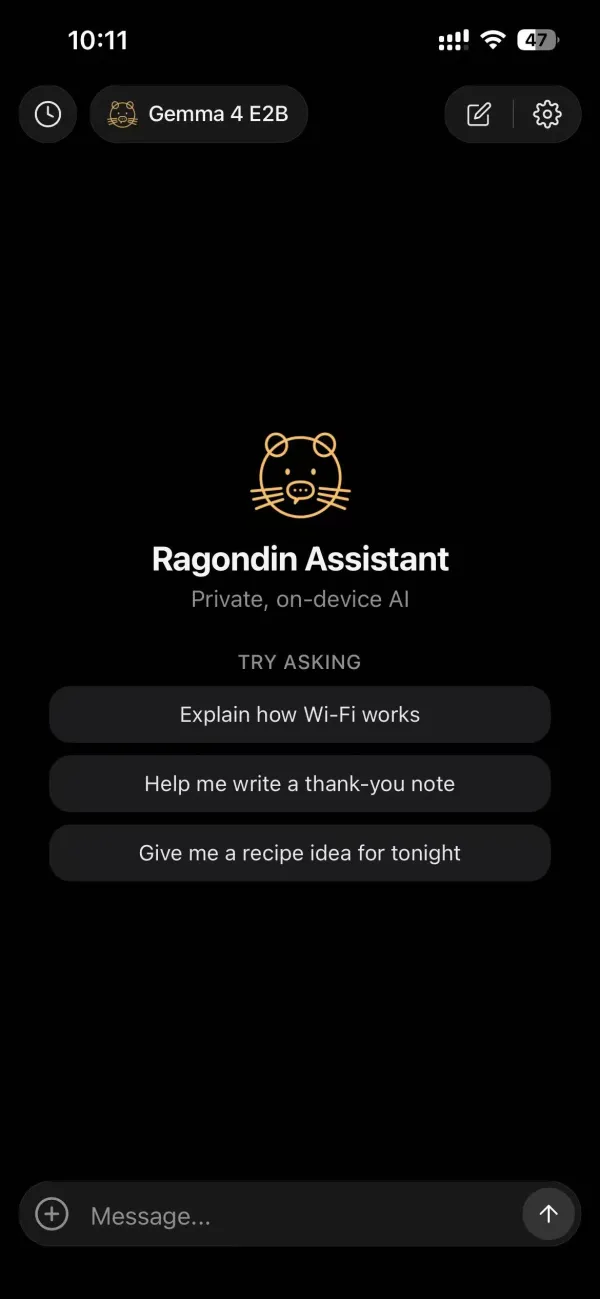
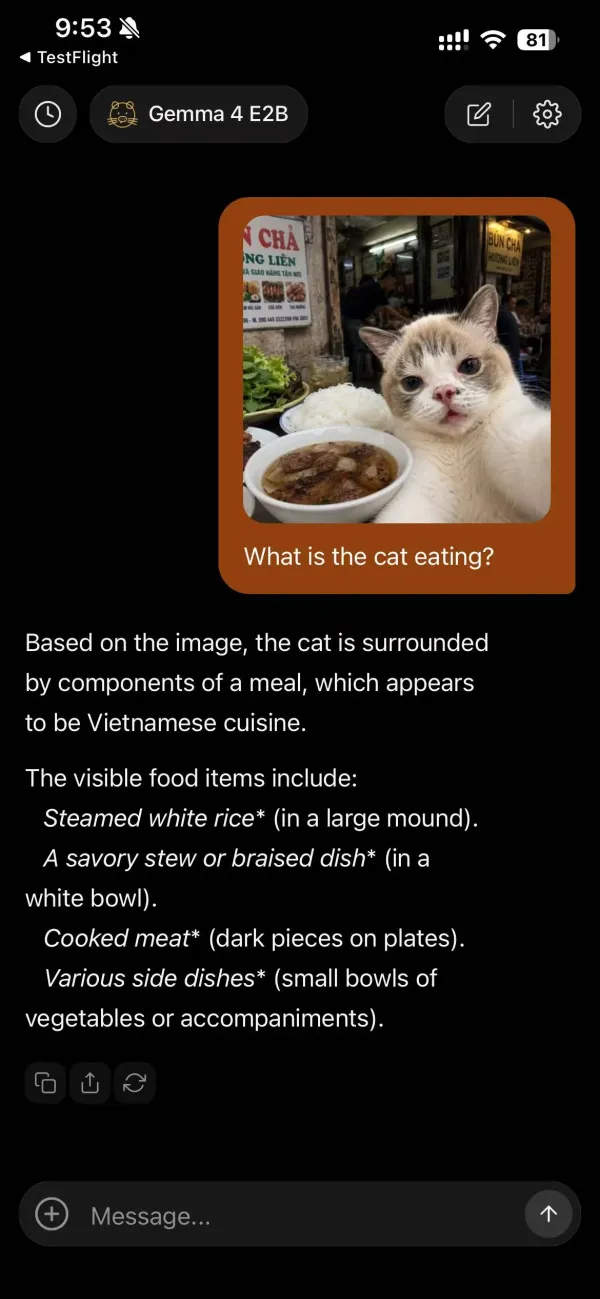
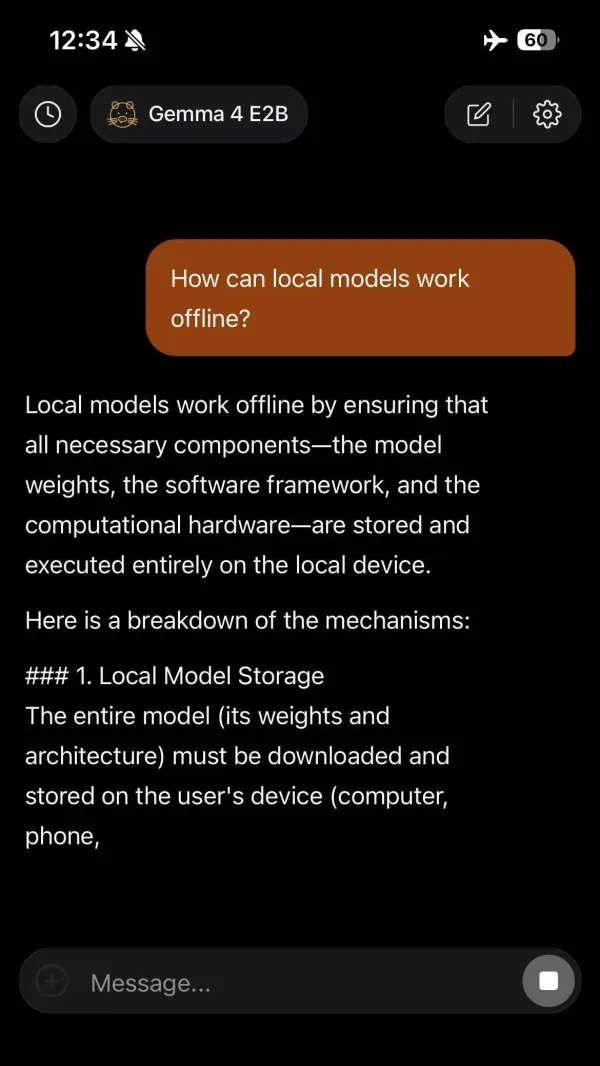
- It sets itself up. On first launch it downloads a model that fits your iPhone. After that you choose by what you want, Fastest, Quick, Everyday or Best, never by a file name.
- Models we tested, with every answer published. We ran 220 questions on an iPhone 17e before choosing which models to offer, and put all the results online.
- Everything in one price. Chat, photos, PDFs, memory, dictation and pictures made on the phone, for $19.99 once. No Pro tier, no subscription, 7 days free first.
- Nothing goes online until you say so. Web search, web reading and the link to your own computer are all off until you turn them on. There is no account, and the app has no analytics.
- It grows with you. Use the same assistant free in a browser on your computer, or link it to Ragondin Core on your own Mac or Linux machine for models as big as Llama 3.3 70B.
- iPhone and Android. The same app on both (bought separately in each store).
What it isn't: free, and it's new, so it doesn't have years of App Store reviews yet. Try it for 7 days, or in your browser, before you pay.
Which offline AI app is easiest if you're not technical?
Pick one that chooses the model for you. Many offline AI apps hand you a list of files with names like “Qwen3-4B-Q4_K_M.gguf” and leave you to guess which one your iPhone can run. Common forum questions are exactly that: which model for my iPhone, and why won't it load?
Four apps skip that step: Loci, Off Grid AI, Cloak and Ragondin Assistant download a model that fits your phone, and Private LLM comes with one built in. They differ in what you can do next: Loci is free; Cloak is a simple chat and voice-memo app ($19.99, no trial, 4 ratings so far); Off Grid AI and Ragondin also read photos and PDFs and make pictures. In Ragondin you then choose by what you want, Fastest, Quick, Everyday or Best, and the models behind those names are ones we tested on an iPhone.
Can you connect an iPhone AI app to your own computer?
Yes, with Ragondin. A phone can only hold small models. Ragondin Core is a free AI server you install on your own Mac (Apple Silicon or Intel) or Linux computer. Pair Ragondin Assistant with it once by scanning a QR code, and the app can answer with models far bigger than a phone can hold, like Llama 3.3 70B or Mistral Small 24B, running on your machine.
- Still private. Your chats go to your own computer, not to us or to a cloud service. Core has no account and no telemetry.
- Works away from home. The app keeps reaching your Core when you're out.
- Your chats on every device. Link your phones and the browser version to the same Core and your conversations follow you.
- Your notes and documents. Core comes with Brain, which keeps them on your own disk for the assistant to use.
- Your own subscriptions, if you want them. Add a Claude, Kimi, MiniMax or GLM key you already pay for. Choosing a cloud model sends that conversation to its provider, and Core tells you when that happens.
It's optional: without a Core, Ragondin works entirely on the phone. Locally AI can also pair with LM Studio on a computer (its LM Link feature needs an account).
Which iPhone can run offline AI?
Almost any recent one, but memory decides how good the answers are. Apple doesn't publish iPhone memory, so use these as a guide:
- iPhone 15 Pro, iPhone 16 or newer (8 GB of memory): runs 4-billion-parameter models such as Qwen 3.5 4B, the best answers in our 220-question test (74.5 out of 100), and can make pictures in apps that support it.
- Older iPhones (4 to 6 GB): run 1 to 2 billion parameter models. MiniCPM5 2B scored 70.3 in the same test and answered twice as fast; below 2 billion parameters, quality drops fast.
- Check the iOS version: Enclave needs iOS 27, Locally AI iOS 18.1, Ragondin iOS 16.4, PocketPal iOS 15.1.
Can ChatGPT work offline on iPhone?
No. The ChatGPT app sends every message to OpenAI's servers, so it needs Wi-Fi or mobile data. For AI with no connection, use one of the apps above: they run the model on the phone itself. Their models are smaller, so expect good everyday answers rather than ChatGPT-level reasoning.
Does Apple Intelligence work offline?
Partly. Apple runs some features on the iPhone and sends “more sophisticated requests” to its Private Cloud Compute servers, without publishing which is which. It needs an iPhone 15 Pro or Pro Max, iPhone 16 or later, iPhone Air or iPhone Duo (Apple). It is built into apps like Mail and Notes rather than a chat app you can ask anything.
Can offline AI read photos and PDFs, or make pictures?
Yes, in some apps. Most apps in the table can look at a photo on the phone; Private LLM is text only. Enclave, Loci, On-Device AI and Ragondin say they answer questions about PDFs, and Off Grid AI works with documents. Of the apps in the table, only Off Grid AI and Ragondin make pictures on the phone, and that needs a recent iPhone and a download of several gigabytes.
Is there an offline AI app with no subscription?
Yes. Locally AI, Loci, Liquid Apollo and PocketPal are free. Private LLM ($4.99), Cloak ($19.99) and Ragondin Assistant ($19.99 after a 7-day trial) are one-time purchases. Enclave, On-Device AI and Off Grid AI sell their extras as subscriptions or a lifetime unlock. App Store purchases don't carry over to Android, so buying on both means paying twice.
How private are offline AI apps?
The model runs on your phone, so what you type isn't sent to a server to be answered. Two things still matter:
- Optional online features. Web search, cloud models or linking a computer send data out. In Ragondin all of these are off until you turn them on; check the settings in any app you use.
- The privacy label. Locally AI, Private LLM, PocketPal, Liquid Apollo, On-Device AI and Off Grid AI declare “Data Not Collected”. Loci and Google AI Edge Gallery declare data linked to you. Cloak declares analytics not linked to you. Ragondin's label lists user content linked to you because you can link the app to Ragondin Core on your own computer, and your chats then go to that computer. They go to your machine, not to us: Ragondin has no server that receives your messages, and the link is off until you set it up.
A simple test works for any app: turn on airplane mode after the model download and keep using it.
Which offline AI apps are out of date?
Older lists still recommend apps that have stopped updating: MLC Chat (last update September 2024), fullmoon (January 2025) and LLM Farm, which is no longer on the App Store. They can't run the newer, better models.
How we compared
On November 24, 2026 we read each app's US App Store listing (rating, price, minimum iOS, last update, privacy label), its website, and its 15 to 20 most recent US reviews. We didn't time every app on a phone; the answer-quality figures come from our own benchmark of nine models on an iPhone 17e, with every answer published. Layla (built for role-play characters) and LM Mini (mainly a remote for a computer running LM Studio or Ollama) were left out because they serve different needs. Spotted a mistake? Email [email protected] and we'll correct it.
Questions
Is there an AI app that works without internet on iPhone?
Yes. Locally AI, PocketPal AI, Private LLM, Loci, Off Grid AI, Cloak, Ragondin Assistant and others run an open AI model on the iPhone itself. After a one-time model download, they answer in airplane mode.
What is the best free offline AI app for iPhone?
Locally AI is the most popular free option, rated 4.7 by over 2,000 people, with no data collected. PocketPal AI is free and open source and also runs on Android. Loci is free and picks a model for you.
Can an iPhone run a local LLM?
Yes. An iPhone with 8 GB of memory (iPhone 15 Pro, iPhone 16 or newer) runs 4-billion-parameter models well; older iPhones run smaller ones with weaker answers.
Can I use a bigger AI model from my iPhone without the cloud?
Yes. Ragondin Assistant connects to Ragondin Core, a free AI server on your own Mac or Linux computer, so your iPhone can use models like Llama 3.3 70B running on your machine instead of in the cloud.
Is offline AI on iPhone private?
When the model runs on the phone, your messages are processed there. Some apps add optional web search, cloud models or analytics, so check each app's settings and its App Store privacy label.
Want the one that picks for you? Ragondin Assistant is free for 7 days, needs no account and works in airplane mode after the model download. Get the app or try it free in your browser.