Ragondin AI

Private AI.
Yours forever.

Ragondin Assistant is an AI assistant that runs on your own phone, even offline, and free in your browser. No cloud, no account, no subscription.

7 days free on your phone, then $19.99 once. Free in your browser, with no account.

Part of Ragondin AI, with Core for bigger models on your own computer and Recall for private meeting notes.

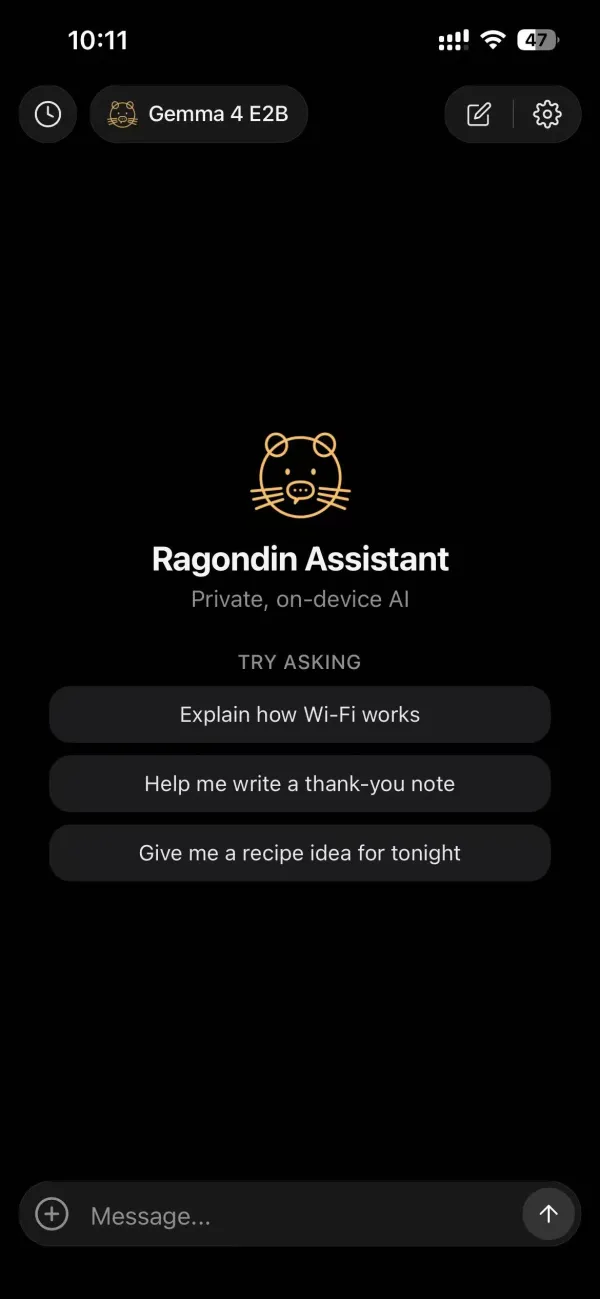
Ragondin Assistant welcome screen
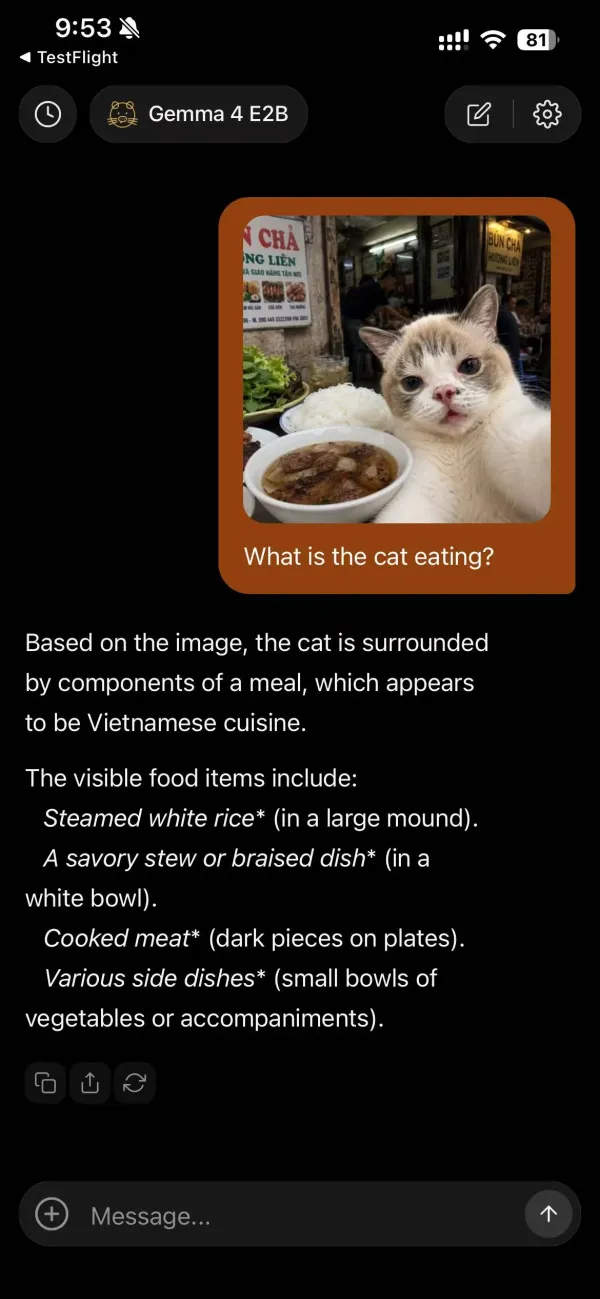
Ragondin Assistant vision feature analyzing a photo of a cat
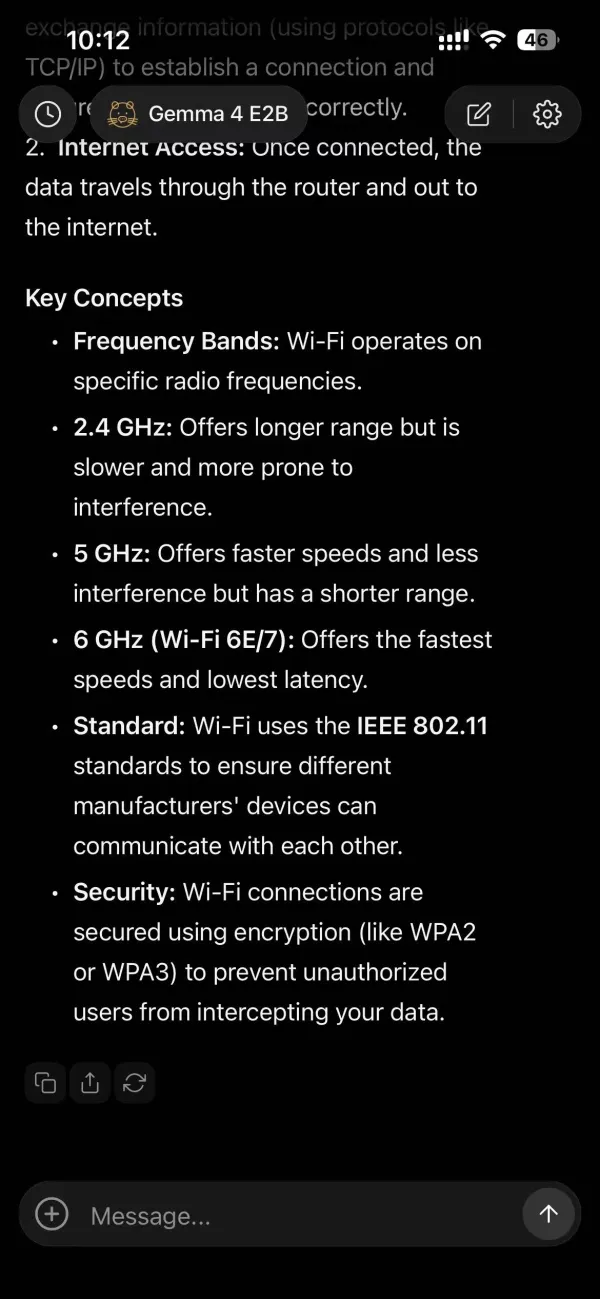
Chat explaining how Wi-Fi works
Ragondin Assistant

Everything you need.
Nothing you don't.

A powerful AI assistant without the subscription, the account, or the data collection. The way it should be.

01 · PRIVATE

Nothing leaves your phone.

Every message, every photo, every conversation is processed on your device. Out of the box, no server ever sees your data. There's no account, and the phone app has no telemetry or analytics. Only three optional features send data out, and all three stay off until you turn them on: Web Search (your query goes to DuckDuckGo), Web Scraping (the pages the AI asks to read are opened from your phone, so those sites see the request) and linking a Ragondin Core (your chats go to that Core).
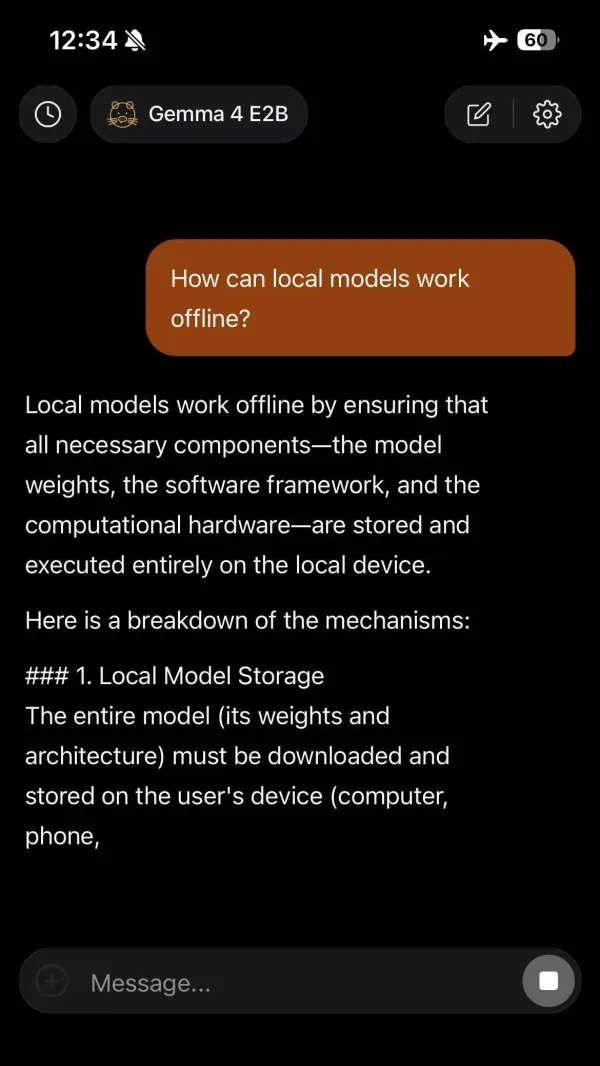
Zero network calls during chat
Ragondin Assistant working in airplane mode
02 · OFFLINE

Works in airplane mode.

On a flight, in a tunnel, in the middle of nowhere. The model lives on your device, not in a cloud. Download once, use forever, anywhere.

03 · PERMANENT

One payment. Yours forever.

$19.99 once (+ tax where applicable). No subscription. No surprise charges. Future updates included. Cancel-friendly because there's nothing to cancel.

04 · POWERFUL

State of the art.

Qwen 3.5, Gemma 4, MiniCPM and Bonsai: seven open-weight models, from 530 MB to a 27-billion-parameter one, running on your phone. With image understanding included.

05 · MULTIMODAL

Add an image. Ask anything.

Snap a photo of a menu, a receipt, a math problem, a plant, and ask about it. Vision runs locally too, with the photo-reading model: an optional download of about 4 GB. Your photos stay on your phone unless you send them to a Ragondin Core you linked.

On the web

Also in your browser.
Free.

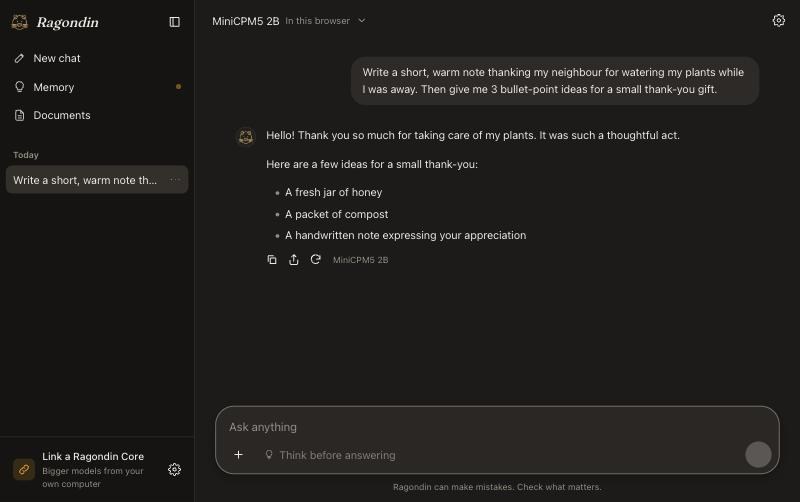
The same assistant on your computer, at web.assistant.ragondin.ai. Nothing to install and no account. The model downloads once, then runs on your own machine, on its graphics card when the browser allows.

web.assistant.ragondin.ai
Ragondin Assistant in a desktop browser: the conversations on the left and an answer in the middle
01 · PRIVATE

Runs on your computer.

Your messages are answered by a model in the page itself, not on a server. Conversations stay in your browser.

02 · COMPLETE

The whole assistant.

Memory, PDFs you can ask about, voice dictation, your own instructions, and the conversations from your phone when you link a Core.

03 · FREE

No account. No catch.

Open the page and ask. Once a model is downloaded, it keeps working offline.

In a browser, models up to 2 GB run on your computer, like Qwen 3.5 and MiniCPM5. For bigger models and pictures, link a Ragondin Core.

On-device models

Built on the best
open-source models.

Pick the model that fits your device and switch at any time. Each one runs entirely locally, and the ones under 2 GB also run in your browser.

Qwen 3.5 4B
by Alibaba Cloud · Apache 2.0
2.7 GB
The best answers on a phone. Strong in more than 30 languages, at code and at reasoning, and it can think step by step before it answers.
Text
Thinking
Multilingual
MiniCPM5 2B
by OpenBMB · Apache 2.0
1.6 GB
Near-best answers, twice as fast. Our pick for most phones with 5 GB of memory or more, and the strongest model a browser can run.
Text
Fast
Also in your browser
Gemma 4 E2B
by Google DeepMind · Apache 2.0
3.1 GB
Reads photos and screenshots: a menu, a receipt, a plant. Image understanding is an extra 1 GB download, and it all runs locally.
Text
Vision
Bonsai 27B
by PrismML · Apache 2.0
3.8 GB
Flagship-class quality from a 27-billion-parameter model compressed to 1 bit. For high-end phones with 8 GB of memory: slower, one chat at a time.
Text
Biggest
8 GB RAM
MiniCPM-V 4.7 1B
by OpenBMB · Apache 2.0
670 MB
Light and quick, as good as models twice its size. A good fit for phones with 4–6 GB of memory.
Text
Fast
Also in your browser
Qwen 3.5 2B
by Alibaba Cloud · Apache 2.0
1.3 GB
Light and fast, with solid multilingual answers, for phones with 4–6 GB of memory.
Text
Multilingual
Also in your browser
Qwen 3.5 0.8B
by Alibaba Cloud · Apache 2.0
530 MB
Ultra-light, with the fastest responses. For older or lower-memory devices: downloads in seconds, runs anywhere.
Text
Ultra-light
Also in your browser
Want bigger?
With a Ragondin Core
→
Link a Core and use models far bigger than a phone can hold, like Llama 3.3 70B on your own computer, or the Claude, Kimi, MiniMax or GLM subscriptions you already pay for.
70B and up
Your subscriptions
Ragondin Assistant

Try it free for 7 days.

Then $19.99 once. The iPhone and Android apps are bought separately, each in its own store. No account, no subscription. Or open it in your browser, free.

Ragondin Core

Your own AI server.
At home.

Ragondin Core is a small server for one person: a Mac mini, a Linux box, or the laptop you already have. It runs the models you choose, remembers your work, and serves your Ragondin apps, wherever you are. Free on your own machine.

A bigger brain for the Assistant

Pair the app or the web version once with a QR code, and it can answer with models far bigger than a phone can hold, like Llama 3.3 70B or Mistral Small 24B. It keeps working when you leave the house.

Your memory and your chats

Core comes with Brain, which keeps your notes and documents on your own disk. Your chats follow you between phone and browser.

You decide what leaves

Add your own Claude, Kimi, MiniMax or GLM key if you want one. Core tells you what leaves it, and when. Pull the network cable and local models still answer.

macOS (Apple Silicon or Intel) and Linux (CUDA or CPU). No account, no telemetry. Picking a cloud model sends that conversation to its provider, as it would in their own app.

Ragondin Recall

Every conversation.
Remembered, privately.

Ragondin Recall is a private recorder for the conversations that happen in person: client consults, sessions, interviews, lectures. It records, transcribes and summarizes them entirely on your phone. No cloud, no account, no subscription.

Transcripts with speakers

Each speaker is labelled, and Recall recognizes a voice across recordings (iPhone today, Android next).

Summaries that matter

Decisions, open questions and action items, written by an on-device model. Export to Markdown.

Search and ask

Full-text search across every recording, and chat with your recordings. All of it works offline.

14 days free, then $19.99 once. Always tell people when you record, and follow the laws where you are.

Privacy

Your data stays yours.

The privacy claim isn't a promise. It's how every Ragondin app is built. Your conversations and recordings are processed on your own devices: your phone, your browser, or the Core on your own computer. There is no Ragondin backend to leak, breach, or hand over.

No cloud processing
Every prompt, every response, every image. Handled locally, unless you link a Core.
No telemetry in the app
The phone app makes no tracking calls. Our website only counts visits, without cookies.
No account required
No email, no password, no sign-up. Install and use.
Works fully offline
The only network activity is the one-time model download. Optional Web Search and a Ragondin Core you link can also reach the network, but only when you turn them on.
Pricing

Start free.
Own it forever.

No subscription, ever. Try the Assistant free in your browser, or own the app with one payment.

Assistant Web
For trying it on your computer
$0free forever
No account, nothing to install.
Open in your browser
  • Runs on your own computer
  • Memory, PDFs and dictation
  • Models up to 2 GB
  • Links to your Core
Also from Ragondin AI
FAQ

Questions,
answered.

Is Ragondin Assistant really private?

Yes. Out of the box, every message, photo and conversation is processed on your device, and no server ever sees it. There is no account, and the phone app has no telemetry or analytics. Only three optional features send data out, and all three stay off until you turn them on: Web Search, Web Scraping and linking a Ragondin Core.

Does it work without an internet connection?

Yes. The model lives on your device, so after the one-time model download the assistant works in airplane mode, on a flight or in a tunnel.

How much does it cost? Is there a subscription?

The app is $19.99 once (plus tax where applicable), after 7 days free. There is no subscription, and future updates are included. The iPhone and Android apps are bought separately, each in its own store. The web version is free.

Which AI models does it run?

Seven open-weight models that run on your phone, from a 530 MB one to a 27-billion-parameter one: Qwen 3.5, Gemma 4, MiniCPM and Bonsai. You pick the model that fits your device and can switch at any time.

Which phones can run it?

iPhones with an A14 chip or later (iPhone 12 and newer) and Android devices with at least 4 GB of RAM. Not every phone can run every model: the largest one, Bonsai 27B, needs 8 GB of memory. The app shows which models are compatible with your device.

Can it understand photos?

Yes. Snap a photo of a menu, a receipt, a math problem or a plant and ask about it. Vision runs locally too, with the photo-reading model, an optional download of about 4 GB.

Can I use it on my computer?

Yes, free, at web.assistant.ragondin.ai. There is nothing to install and no account. The model downloads once, then runs on your own machine. In a browser, models up to 2 GB run on your computer.

What is Ragondin Core, and do I need it?

No, Ragondin Assistant works on its own. Core is optional and free on your own Mac or Linux computer: link it and the assistant can also answer with models far bigger than a phone can hold, or with the Claude, Kimi, MiniMax or GLM subscription you already pay for. Picking a cloud model sends that conversation to its provider.

Detective Coypu

Meet the cast.
Watch the cases.

Detective Coypu solves privacy mysteries with the AI on his phone, while the clouds try to sip everyone’s data through a straw. New cases on YouTube.

Watch on YouTube
The villains
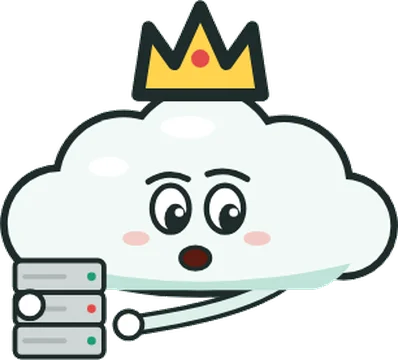
Data Eater, a crowned cloud sipping from a server
Villain
Data Eater
A cloud with a crown and a straw. Drinks whatever it can reach on the server.
The Real Cloud, a storm cloud with many eyes over a town
Big boss
The Real Cloud
The storm behind them all, as wide as a town. Where your data goes when it leaves your phone.
The Subscription Syndicate, three masked walking bills
Gang
The Subscription Syndicate
Three walking bills that drain wallets a month at a time. Case 6.
Friends of the agency
The Hedgehog, a round smiling hedgehog
Client
Hedgehog
Someone read the Hedgehog’s messages. Case 1 starts here.
The Owl, a grey owl in a blue tie
CFO
Owl
Counts every subscription. Not a fan of monthly surprises.
The Beaver, a brown beaver in a suit
Lawyer
Beaver
Reads the terms of service, so the rest of the agency doesn’t have to.

Private AI.
On hardware you own.

Get Ragondin Assistant: 7 days free on your phone, then $19.99 once. Or open it free in your browser.